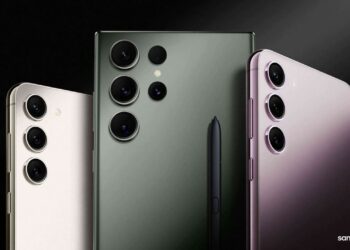
Samsung’s One UI 6 update redefines mobile photography with AI-powered tools and clever customizations that let you capture and edit stunning shots like a pro. In a comprehensive guide, Samsung is providing users with valuable insights on maximizing the capabilities of their Samsung Galaxy cameras. The document emphasizes Samsung’s history of innovation in smartphone cameras, introducing features like the world’s first 200MP camera sensor, Night Mode, and powerful Space Zoom settings.
The One UI 6 update aims to elevate users’ photography experience, catering to both serious photographers seeking professional-grade features and enthusiasts who appreciate convenient ways to capture exceptional photos and videos. The article details seven key tips to enhance the Galaxy camera experience grouped in three categories.
Smart functionality simplifies everyday
-
1. Samsung Galaxy Enhance-X app: This app lets you instantly edit with a single touch thanks to a number of features. Sky Guide allows users to capture the night sky, and AI analyzes the image to identify constellations, stars, galaxies, nebulas, and clusters. Clean Lens removes blurriness caused by fingerprints, Slow-mo creates slow-motion shots from normal videos, and Long Exposure adds a captivating long exposure effect to short videos. Single Take, a popular feature, is now available in Enhance-X, providing AI analysis for instantly shareable content. According to Samsung, the Galaxy Enhance-X app is limited to Galaxy S23 series, S22 series, S21 series, Z Fold 5, Z Flip 5, Z Fold 4, Z Flip 4, Z Fold 3, Z Flip 3, A54, A53, A34, A33, M54, M53, M34, and M33 devices operating on One UI 6.0 or above.
2. AI Image Clipping: Users can now clip an object from a picture, instantly saving it as a sticker for use in other photos and videos. The AI Image Clipping feature offers options to copy, share, or save the cut-out, providing flexibility in creative editing.
3. Document Scan: One UI 6 update tags along the ability to scan a document, making it easier to capture and save documents on your phone. Even with Scene Optimizer turned off, the AI technology detects document photos, automatically activating the Auto Scan edit screen for easy rotation, alignment, and saving. Enhance-X can remove bulldog clips for a professional touch.
Customize how you take photos
-
4. High Resolution Quick Setting: One tap in Photo or Pro Mode activates the Resolution button in the Quick Settings menu, allowing users to instantly switch to high-resolution shooting and capture 200MP images. Samsung says the Hi Res option in Quick Settings is available exclusively on the Galaxy S23 Ultra, although it’s likely coming to the Galaxy S24 Ultra as well.
5. Custom camera widgets: One UI 6 enables users to save preferred shooting modes as camera widgets on the home screen. This feature ensures quick access to specific settings, saving time when capturing spontaneous moments.
Beautiful pics made simple
-
6. Intuitive Photo Editor Layout: One UI 6 enhances the photo editing experience with a new and improved Tools menu, simplifying the selection of commonly used editing features. The integration of Straighten and Perspective functions in the Transform edit menu allows users to correct vertical and horizontal alignment conveniently.
7. New Undo and Redo buttons: The addition of Undo and Redo arrow buttons provides users with the flexibility to toggle back and forth between photo adjustments, including size, angle, filter, and tone, without concerns about making permanent changes.
These AI-powered tools and clever customizations in One UI 6 make capturing and editing stunning shots on Samsung Galaxy phones easier than ever. Hopefully, they’ll help you unleash the full potential of your smartphone cameras, capturing and editing photos with ease and creativity.