Samsung and many Android device makers for that matter get a lot of flak for bundling their own apps and services on devices they make. Most of these apps and services end up replicating what is already pre-installed on the devices thanks to Google Mobile Services (GMS), the arrangement that sees Google apps preloaded on most Android devices.
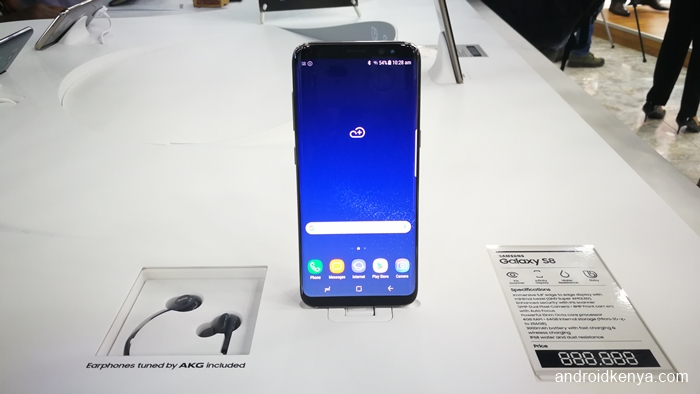
As such, users end up having two of everything. Two browser apps. Two music players. Two calendar apps. Two… The list can go on and on. Some device makers, like HTC, have seen the light and have cut back immensely on the number of apps they preload on their devices. Where Google offers a robust alternative, they go with that. Others, like Samsung, have stuck to their guns mostly and they have only let go a little bit. Like, for instance, the Galaxy S8 and S8+ don’t ship with Samsung’s music player app opting to, instead, go with Google’s Play Music.
The Swahili people of East Africa say mgala muue na haki yake mpe which loosely translates to, “give credit where it’s due”. To their credit, some Android device makers have actually come up with nice apps and services that are worth keeping. It’s just that they make the mistake of shoving them down the throats of users without any consideration whatsoever.
One such application is Samsung’s mobile browser which is badly named Samsung Internet (because God damn it, what else does it do?). It’s a well-done app as any user of Samsung smartphones over the last 3 or so years can tell you. In fact, if anything, it has actually gotten better with time during the annual refreshes Samsung makes to its mobile software portfolio.
Back in September 2015, Samsung unbundled its mobile browser and made it available on the Google Play Store but it was only limited to Samsung devices, as expected. Just two months ago, Samsung brought a beta version of the app on the Play Store that could be installed not just on Samsung Galaxy devices alone but smartphones made by Google and its partners under the now defunct (or is it?) Nexus program as well. By extension, it was found, the app also worked on Google’s own phones, the Pixel and Pixel XL.
Since access to the browser on the Play Store is restricted to Samsung and Google devices, that doesn’t mean that you can’t have it. It’s why APKMirror exists, after all. So, grab the application package from APKMirror (check for the latest version of the app as at the time you get around to reading this – don’t worry, APKMirror will let you know if there are newer versions), install it and voila! You’re on the highway to awesomeness.
Here’s why you need the Samsung Internet browser on your Android device:
- Since it’s based on Chromium, the open source browser that forms the basis of the Chrome browser, you are not straying far away from home (Chrome) if you are an ardent Chrome mobile fan like myself.
- You can still sync your Chrome bookmarks to the Samsung mobile browser if you need to using an extension.

- Like Chrome, Samsung Internet has a QR code reader so you can scan all those Quick Response codes just like you would on Chrome. This comes in handy if you are planning a trip to China from Nairobi anytime soon since China is the land of QR codes.
- Like Chrome, it lets users request desktop versions of sites in instances where the mobile version is loaded automatically.
- Since extensions are supported on this app, that means only one thing: ad blockers! The Samsung mobile browser has had ad blocking capabilities since version 4.0 was released in January last year. The feature, while controversial, has been highly welcome by many an irritated user. I know, as someone running an online platform like this one, I should be on the other side, calling readers names for denying me and my ilk the much-needed revenue but I am a reader first and foremost and a writer/publisher second and most of the things we do are bloody annoying. Pop-ups, auto-playing videos, interstitials with countdown timers, what the hell? Seriously, we need to be stopped. There are enough extensions developed for the Samsung mobile browser on the Play Store that do just that. My favourite is this one: Disconnect.
- Viewing 360-degree videos without the need for a virtual reality (VR) headset.
- A nice pop-up player like the one we use to view YouTube content when the app is in the background.
- Integration with beacons. The browser communicates with beacons, where available, to provide users with additional information like directions to a particular stall at a busy trade show. You will need to be careful about this particular use case, though, since it’s a confirmed security risk.