Safaricom Home Fibre is Safaricom’s answer to similar home internet services that are offered by Wananchi Group (Zuku) and Jamii Telecommunications Limited (Faiba).
Subscription options
Safaricom Home Fibre is available in various packages that one can subscribe to (as of October 2018):
| Package | Speed | Cost (per month) |
| Bronze | 5 Mbps | Kshs 2,900 |
| Silver | 10 Mbps | Kshs 3,999 |
| Gold | 20 Mbps | Kshs 5,699 |
| Platinum | 40 Mbps | Kshs 11,499 |
Availability
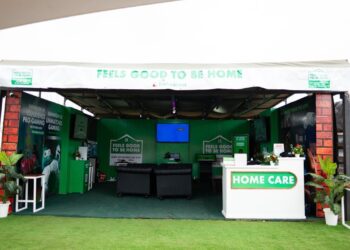
The first step if one wants to try out Safaricon Home Fibre is to find out if the area they live in is part of those where the service is available. That can be done easily either by asking Safaricom directly through its social media accounts, a call to customer care or public announcements (billboards, posters, notices… these are usually available in areas where Safaricom Home Fibre is available, complete with a contact person and their contact details) or even Safaricom’s own website.
Currently, Safaricom’s home internet solution is available in several cities and towns across the country including Nairobi, Mombasa, Kisumu, Nakuru, Eldoret, Thika, Kakamega, Nanyuki, Machakos and Kisii. In Nairobi, the service is available in some parts of Thika Road, along Kiambu Road, in Mlolongo, Langata, Kileleshewa, Kinoo, Muthiga and, lately, Kitengela. The service, which currently boasts of almost 100,000 connected homes, is still rolling out in more parts of the city as well as other parts of the country.
The connection process
To be connected is simple: just call 400 or dial *400# from your phone and you will be directed further. Normally, this involves the takind down of personal details like full name, email address, national identity card number, house number and/or apartment/flat name and the package (from any of the above) that one wishes to subscribe to.
Once this is submitted, one will be directed to dial *400# (not *855# anymore), follow the prompts (which include authorizing the automatic deduction of the amount/cost of the package from M-Pesa).
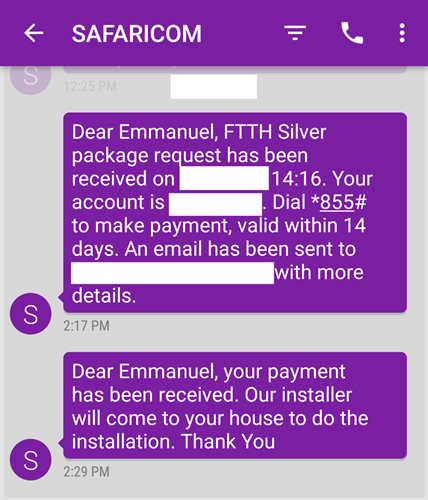
Once that is done, the amount/cost of the package subscribed to will be deducted from the associated M-Pesa account and a notification text to that regard delivered.
As soon as payment confirmation is made, an account will be created by Safaricom and one will receive a text notification from Vuma@Home notifying them of the creation of a Safaricom Home Fibre account and the respective account number. The same information will also be sent to the email address provided.
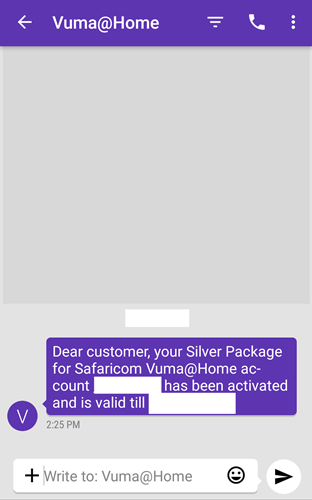
From there, things should flow easily. Within hours of confirming payment and getting an account number, the technical team from Safaricom in charge of making the installation will get in touch to arrange with the customer on the best time to show up at the house and finalize the installation. This, normally, should not take more than 2 days. Once the installation is done, the customer has to wait to receive a text message from Safaricom informing them of the Wi-Fi SSID (username) and password to use to connect and start enjoying super fast home internet. Easy.

Note: while this may be what should happen, on paper, more often than not, that may not be the case. I found that reaching out to the customer service team handling Safaricom Home Fibre a much better option after waiting for hours to be sent the login credentials. Within no time, the connection was live. Read my entire experience here.