• About
  • Advertise
  • Privacy Policy
  • Contact
Android Kenya
  • Home
  • News
  • Apps
  • Gadgets
  • Reviews
  • Deals
  • How To
  • Knowledge Base
No Result
View All Result
  • Home
  • News
  • Apps
  • Gadgets
  • Reviews
  • Deals
  • How To
  • Knowledge Base
No Result
View All Result
Android Kenya
No Result
View All Result
Home How To

How to remap the Bixby button on the Galaxy S8 to launch Google Assistant instead using BixBye

Emmanuel Chenze by Emmanuel Chenze
May 31, 2017
in How To
0
Samsung Bixby Vision at work
FacebookTwitterWhatsApp

BixBye sounds like Bixby, right?

Bixby is the digital assistant on Samsung’s 2017 flagship smartphone, the Galaxy S8. While Bixby is great and all, it is still in its infancy.

As such, even though it is meant to compete with more established personal assistants like Apple’s Siri, Microsoft’s Cortana and Google’s Assistant, some of which have existed for over 6 years (like Siri), Bixby still has a long way to go. It will be a while before Bixby becomes the go-to personal assistant not just on the Samsung Galaxy S8 but on any other device where it will be made available.

It needs to get voice input, tap into its novel Vision feature properly among other things.

Read: Bixby, the personal assistant on the Samsung Galaxy S8, is helpful, futuristic and lacking at the same time

Bixby’s own shortfalls are the reason why tech-savvy users of the Galaxy S8 figured out a way to replace it on its dedicated launch button, located just below the volume rocker on the left of the device.

READ:  Samsung led Kenya's smartphone market with 31.7% share in Q4 2022 - IDC

Replace it with what? Google Assistant, of course.

Samsung got wind of what users of its prized device were doing and quickly fixed any loopholes that were being exploited to remap the Bixby button to launch Assistant instead of Bixby.

Now, users have to go the long route of rooting their devices (and running the risk of forfeiting their warranty cover) if they are to have the freedom to remap the Bixby button as they please. The device, after all, belongs to them and not Samsung once one has paid the Kshs 85,000 recommended retail price. Or… they can use the many apps that have since popped up to address this particular need.

In my case, I turned to BixBye which, as the name insinuates, makes sure you bid goodbye to Bixby on the Bixby button.

It’s so easy to get it to do this:

  • Download and install the BixBye application from the Play Store
  • Toggle on the switch to remap the Bixby button
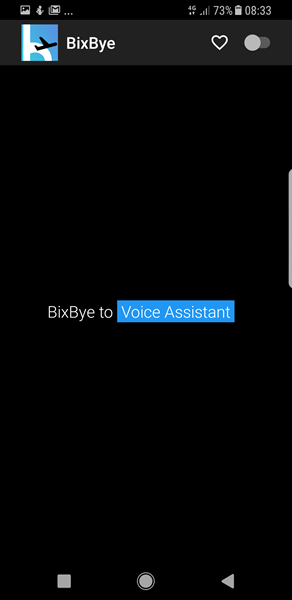
BixBye

You will be asked to grant BixBye some accessibility permissions. This will redirect you to the settings app but once granted, that’s it!

Next time you double press the Bixby button, it is Assistant, not Bixby, that will show up.
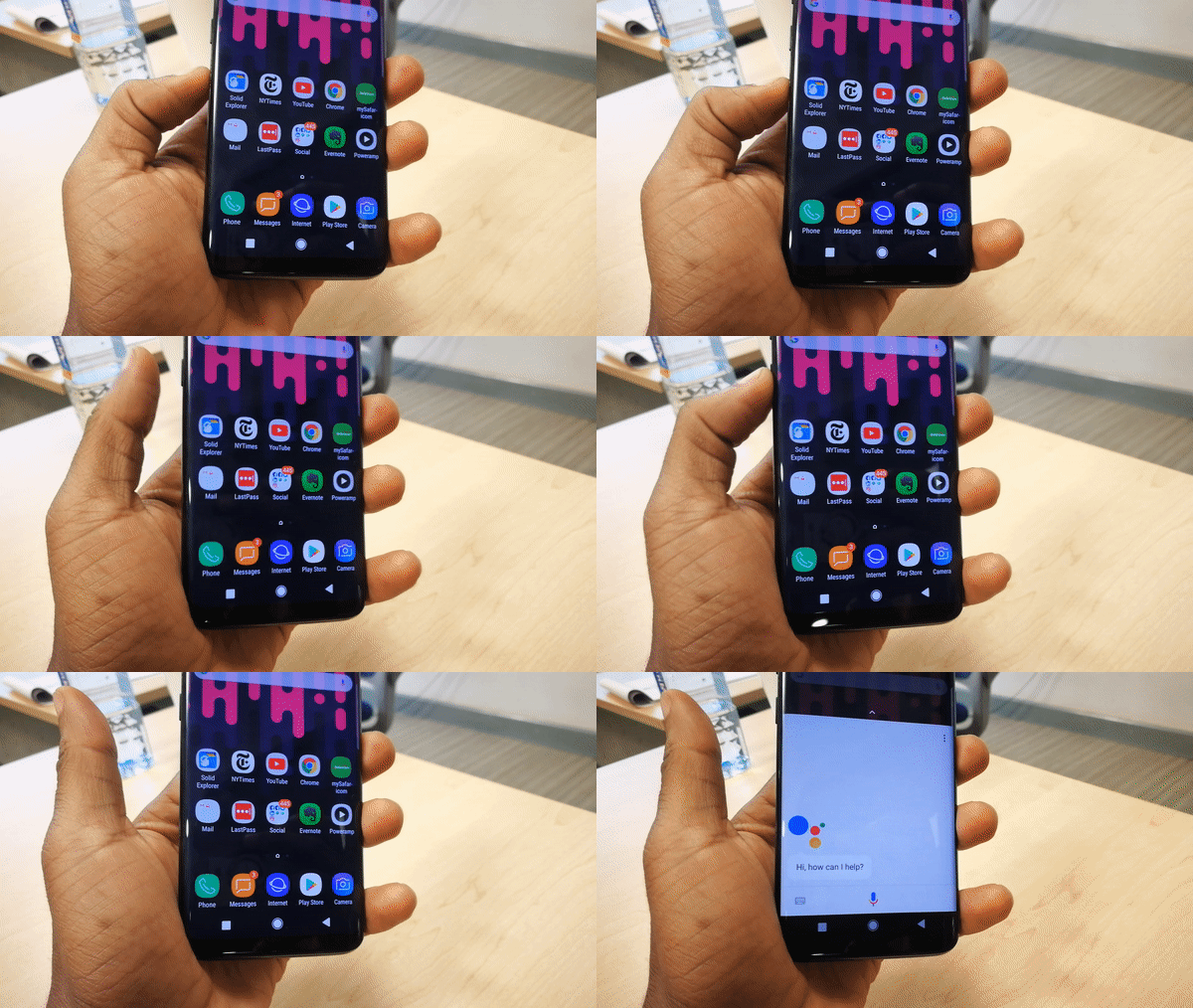
Bixby button remap

Join our Telegram channel
Previous Post

The best Tecno smartphones you can buy in Kenya right now

Next Post

Taking control of data usage on Facebook’s Android app

Related Posts

Samsung at Risk of Losing Global Smartphone Crown to Major Rival – Report
News

Samsung at Risk of Losing Global Smartphone Crown to Major Rival – Report

November 27, 2025
Samsung
News

Kiswahili now supported on Samsung Galaxy devices

March 25, 2025
One-UI-7-release-date
News

Samsung confirms One UI 7 stable rollout from April 7: Here’s when Kenyan Galaxy users can expect it

March 19, 2025
Next Post
Facebook app

Taking control of data usage on Facebook's Android app

Subscribe to our newsletter

  • Trending
  • Comments
  • Latest
Samsung at Risk of Losing Global Smartphone Crown to Major Rival – Report

Samsung at Risk of Losing Global Smartphone Crown to Major Rival – Report

November 27, 2025

Oppo A60 review: Rugged darling

June 10, 2024
Oppo Reno8 T review: High praise

Oppo Reno8 T review: High praise

February 28, 2023
Absa Bank Kenya to mobile money (M-Pesa, Airtel Money, etc) charges 2023

Absa Bank Kenya to mobile money (M-Pesa, Airtel Money, etc) charges 2023

January 4, 2023
Samsung at Risk of Losing Global Smartphone Crown to Major Rival – Report

Samsung at Risk of Losing Global Smartphone Crown to Major Rival – Report

0
Android Users Can AirDrop to iOS, But There’s a Sneaky Catch

Android Users Can AirDrop to iOS, But There’s a Sneaky Catch

0
Android apps

Google Changes Tune Regarding Sideloading Android Apps

0
An image of Telegram Messenger app opened on an Android phone

Telegram Restricted in Kenya Again During KCSE Exams

0
Samsung at Risk of Losing Global Smartphone Crown to Major Rival – Report

Samsung at Risk of Losing Global Smartphone Crown to Major Rival – Report

November 27, 2025
Android Users Can AirDrop to iOS, But There’s a Sneaky Catch

Android Users Can AirDrop to iOS, But There’s a Sneaky Catch

November 21, 2025
Android apps

Google Changes Tune Regarding Sideloading Android Apps

November 14, 2025
An image of Telegram Messenger app opened on an Android phone

Telegram Restricted in Kenya Again During KCSE Exams

November 3, 2025
  • About
  • Advertise
  • Privacy Policy
  • Contact

© 2025 Android Kenya

No Result
View All Result

© 2025 Android Kenya


Loading Comments...