• About
  • Advertise
  • Privacy Policy
  • Contact
Android Kenya
  • Home
  • News
  • Apps
  • Gadgets
  • Reviews
  • Deals
  • How To
  • Knowledge Base
No Result
View All Result
  • Home
  • News
  • Apps
  • Gadgets
  • Reviews
  • Deals
  • How To
  • Knowledge Base
No Result
View All Result
Android Kenya
No Result
View All Result
Home TOS

Rafiki by Securex: The hardware

Emmanuel Chenze by Emmanuel Chenze
May 22, 2021
in TOS
1
Rafiki by Securex: How to install
FacebookTwitterWhatsApp

Rafiki is the name for Securex’s “do it yourself” home security solution, launched in March this year.

As can be expected, the home security kit has two major components: the hardware and the software.

Both of these components come together to work in tandem to keep your home secure whether you are around or far away from home.

Here, we are going to focus on the hardware.
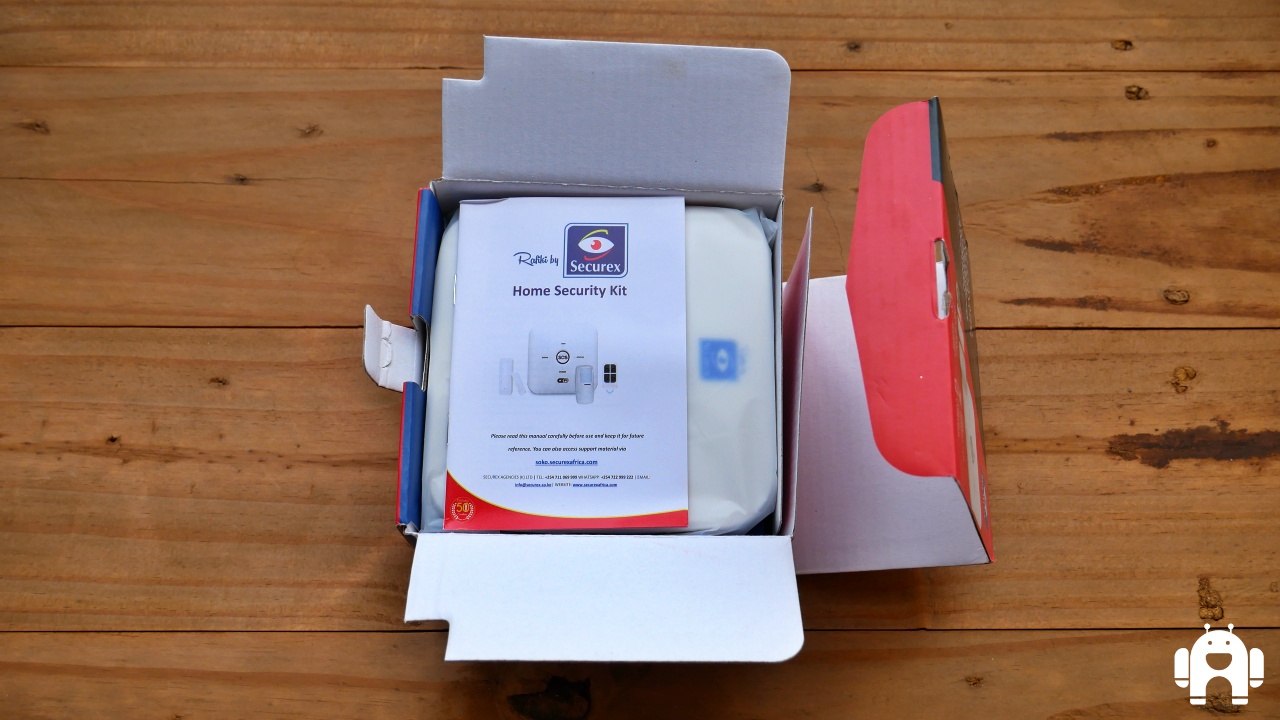
The Rafiki home security kit comprises an alarm panel, a PIR motion sensor, a magnetic contact and a remote control unit.
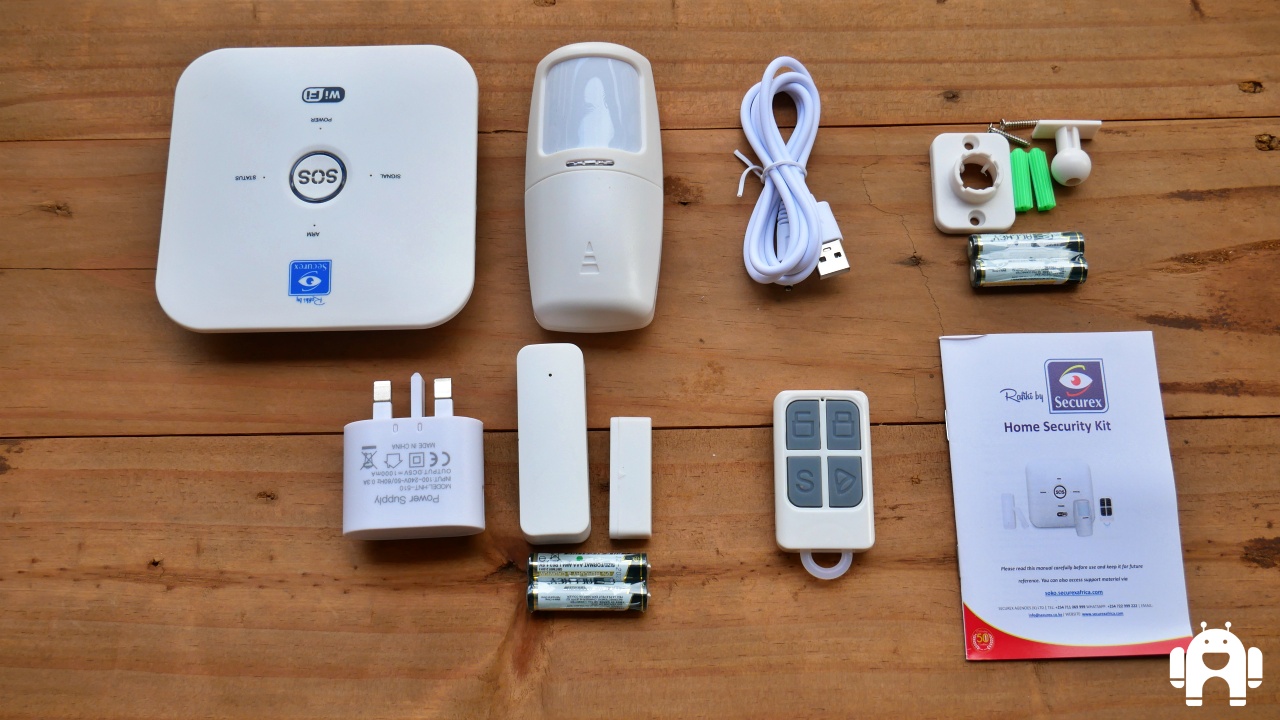
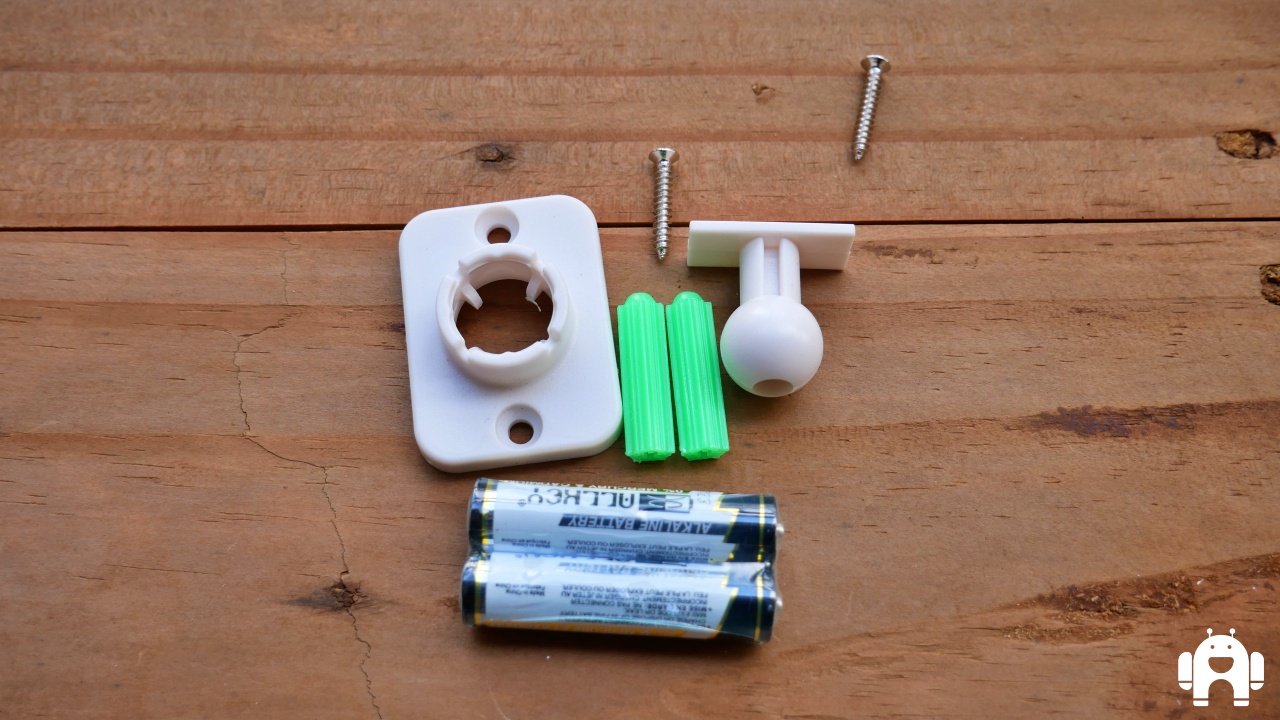
Of course, these components are accompanied by the relevant accessories needed to make them work once you unbox them. In the case of the alarm panel, which acts as the central physical monitor of the system, that means a charger whose cable is not only detachable but has a USB 2.0 end meaning that it can play nicely with any of the chargers you have lying around as long as you are sure to get the voltage correct (5V). For the magnetic contact and the motion sensor, that’s a pair of AAA batteries for each unit. Being consumables, you can expect to replace these with time – maybe a couple of months.
READ:  Safaricom Home Fibre: What you need to know

One interesting thing I found out is that the alarm panel appears to have its own built-in battery which keeps it in operation even when the power is out. For how long? I have no idea. This is interesting because, at least theoretically, that means that you can set up a secondary network connection it can pair with when the power is out (something that Kenya Power is likely to do to you, anyway) and not miss a second of what’s going on in your home.

In all these hardware components, the alarm panel is the single most important component. It is this device that you pair with your home network at first before adding other components like sensors and what have you. It has a physical on/off button, giving the user more control than entirely relying on the application, as most other systems do. It also has the CDDE key which is used for resetting. Its centrally-located SOS button, once the system has been set up, can be pressed at any time to turn the alarm on and declare an emergency. The tiny signal flashlights can be quick indicators of the status of the system at any given time e.g. is it armed or disarmed?

The motion sensor is for, well, sensing motion. This is what one puts on the exterior of their front door so that, paired with the magnetic contact, it can connect any motion detected there or towards there with any home status – you are in the house or away – and alert you accordingly.
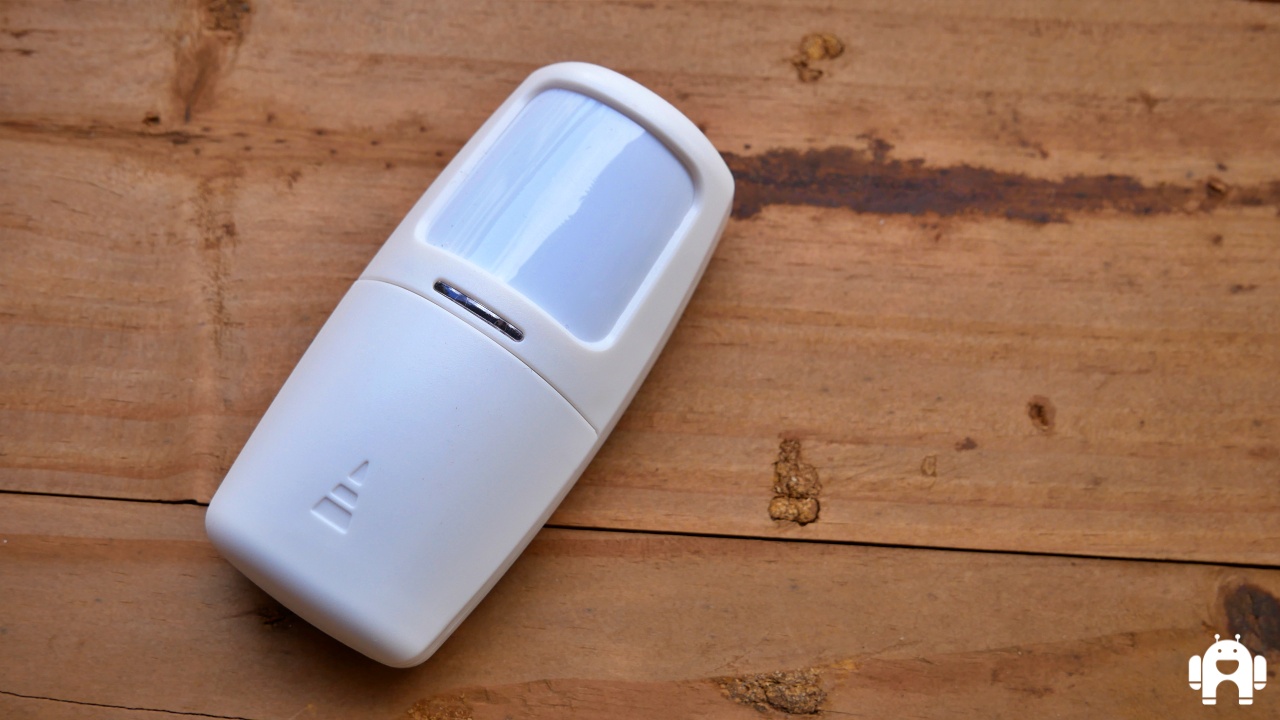
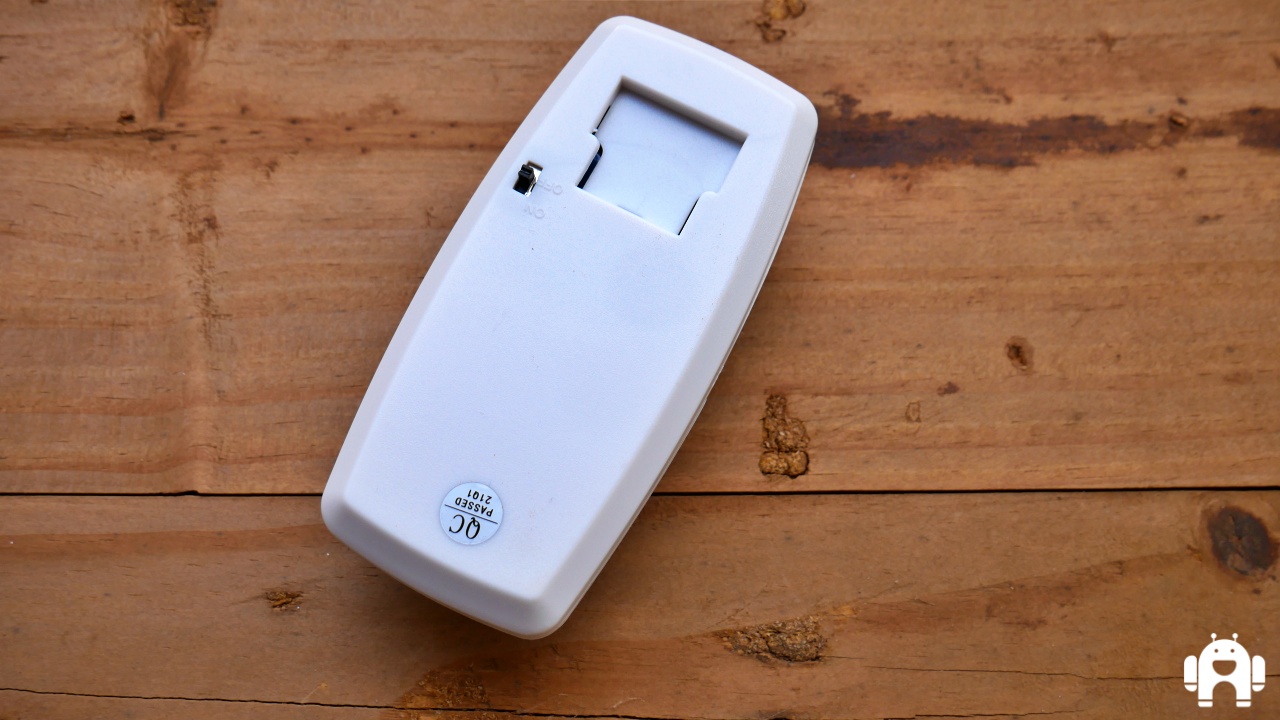
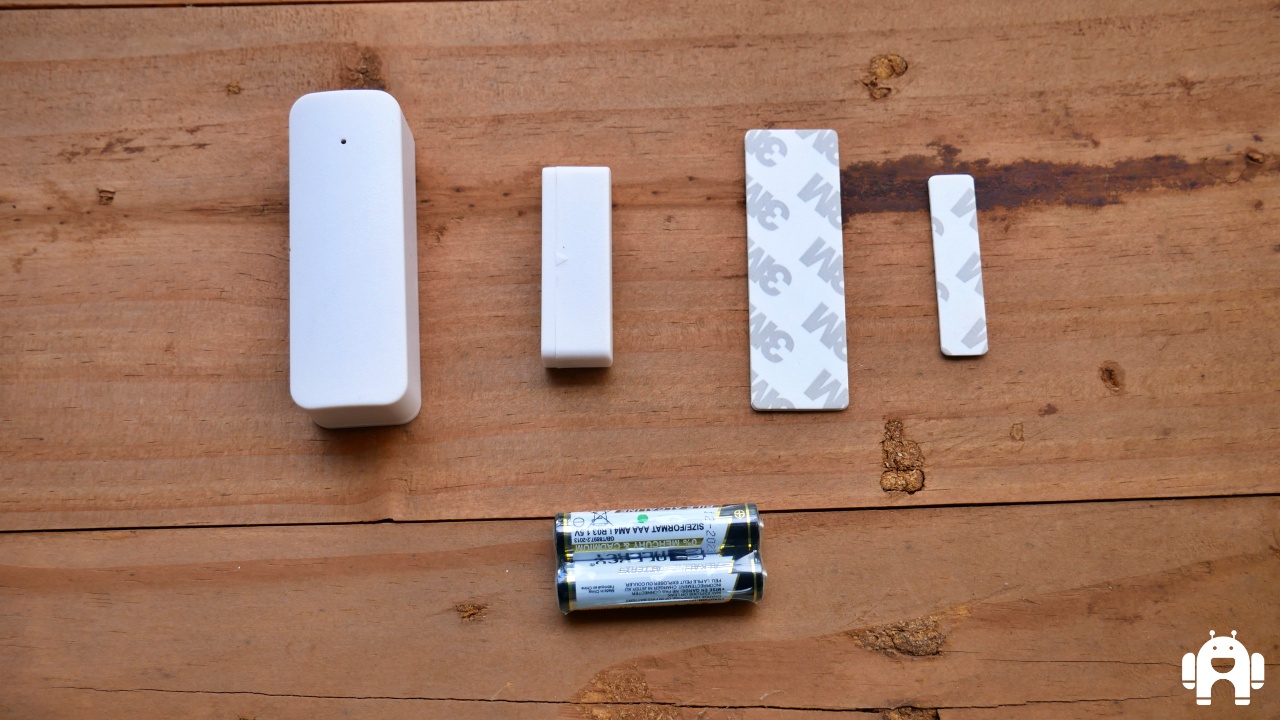
It took us a few moments to figure out what to do with the magnetic contact but, it’s easy. It’s what you fix to your door to keep tabs on it. Stick it using the supplied 3M tape and you’re good to go. The screws in the box are for use affixing the motion sensor.
READ:  Rafiki by Securex: How to install

Join our Telegram channel
Previous Post

Google Photos users finally getting ability to hide away pictures from prying eyes

Next Post

Rafiki by Securex: The software

Related Posts

Rafiki by Securex: How to install
TOS

Rafiki by Securex: How to install

May 22, 2021
Rafiki by Securex: The hardware
TOS

Rafiki by Securex: The software

May 23, 2021
Securex launches home DIY security solution and e-commerce site
News

Securex launches home DIY security solution and e-commerce site

March 22, 2021
Next Post
Rafiki by Securex: The hardware

Rafiki by Securex: The software

Comments 1

  1. Pingback: Rafiki by Securex: The software

Leave a Reply Cancel reply

Your email address will not be published. Required fields are marked *

Subscribe to our newsletter

  • Trending
  • Comments
  • Latest
Samsung Remains the Only Android OEM in Q3 2025’s Top-Selling Phones

Samsung Pushes Update to Midrange and Budget Galaxies

April 28, 2026
WhatsApp Working on Premium Subscription Plan Called WhatsApp Plus

WhatsApp Working on Repositioning Channels Within The App

May 1, 2026
Tecno Spark 3 Pro-10

How to fix OTG connected pop-up error on Tecno phones

July 28, 2019
Google testing Ask YouTube

Google Testing a New Way of Finding Videos on YouTube

April 28, 2026
Apple Leaves Android Brands Playing Catch-Up in New Report

Apple Leaves Android Brands Playing Catch-Up in New Report

0
WhatsApp Working on Premium Subscription Plan Called WhatsApp Plus

WhatsApp Working on Repositioning Channels Within The App

0
Google testing Ask YouTube

Google Testing a New Way of Finding Videos on YouTube

0
Samsung Remains the Only Android OEM in Q3 2025’s Top-Selling Phones

Samsung Pushes Update to Midrange and Budget Galaxies

0
Apple Leaves Android Brands Playing Catch-Up in New Report

Apple Leaves Android Brands Playing Catch-Up in New Report

May 5, 2026
WhatsApp Working on Premium Subscription Plan Called WhatsApp Plus

WhatsApp Working on Repositioning Channels Within The App

May 1, 2026
Google testing Ask YouTube

Google Testing a New Way of Finding Videos on YouTube

April 28, 2026
Samsung Remains the Only Android OEM in Q3 2025’s Top-Selling Phones

Samsung Pushes Update to Midrange and Budget Galaxies

April 28, 2026
  • About
  • Advertise
  • Privacy Policy
  • Contact

© 2025 Android Kenya

No Result
View All Result

© 2025 Android Kenya


Loading Comments...