• About
  • Advertise
  • Privacy Policy
  • Contact
Android Kenya
  • Home
  • News
  • Apps
  • Gadgets
  • Reviews
  • Deals
  • How To
  • Knowledge Base
No Result
View All Result
  • Home
  • News
  • Apps
  • Gadgets
  • Reviews
  • Deals
  • How To
  • Knowledge Base
No Result
View All Result
Android Kenya
No Result
View All Result
Home News

YouTube gets a visual upgrade on Android TV

Naftaly Kariuki by Naftaly Kariuki
October 17, 2022
in News
0
Xiaomi Mi Box 3: Android TV at its best?
FacebookTwitterWhatsApp

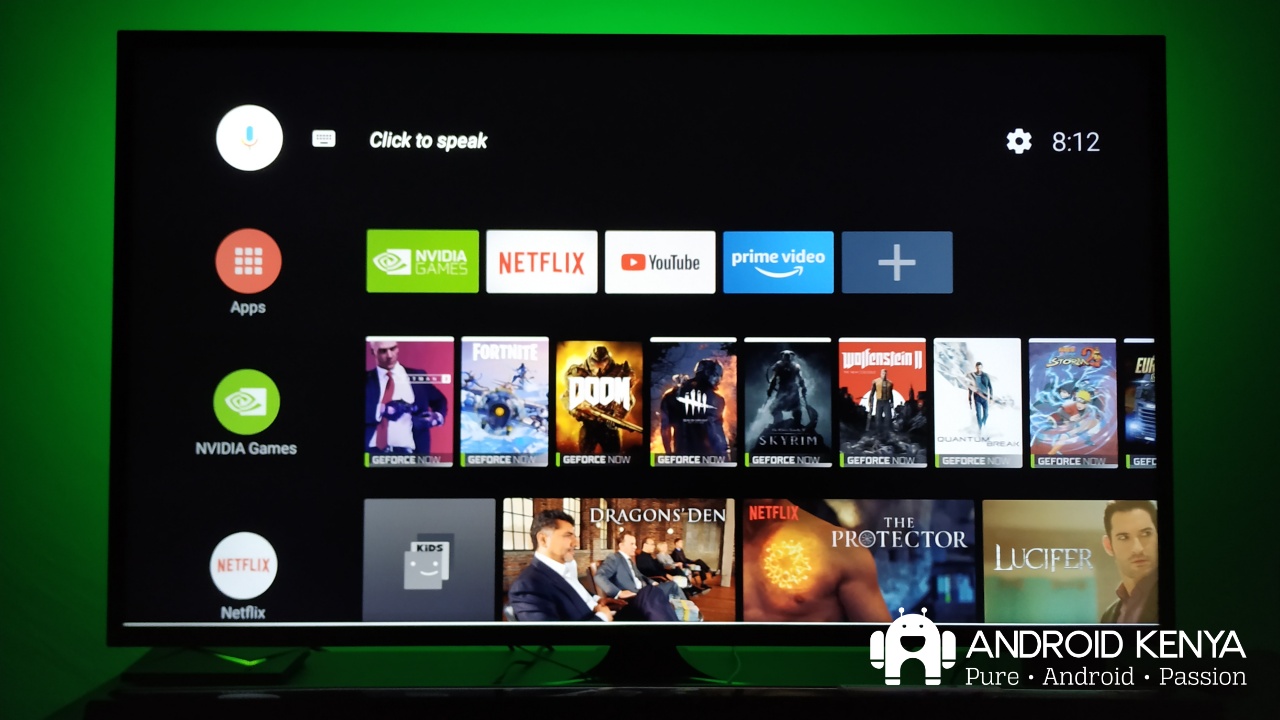
YouTube has been getting a lot of criticism lately with their decisions not being well received by most users, including the trials to increase the number of ads before you can watch a video and locking 4K content behind a paywall. This, however, has not prevented the company from rolling out a visual makeover to YouTube’s Android TV interface.

The update which brings the YouTube app on Android TV and Google TV to version 3.0 makes it easier to get information about the video you are watching while also bringing elements of Material You to the player UI.

As 9to5Google highlights, video titles no longer appear in the upper left-hand corner of the screen. They have instead been moved to a rounded-off box with the video uploader’s name, view count, and publish date, all left-aligned above the playback progress bar.

The video description has also been shifted to this position and can be expanded to appear as an overlay above the video you are watching. Once expanded, it dims the video to make it easier for you to read, however, it has the unintended consequence of you missing large parts of the video that is behind the overlay.

If you use the remote to seek a particular point in the playing video, related video content will still be shown underneath, as in the past. The resultant congestion of this space has now made accessing the like/dislike button, playback speed options and video quality controls take more steps to get to, compared to the previous implementation.

At the end of the day, YouTube has managed to fit more information in a single screen, at the cost of making the application seem a little more cluttered. It might take a while to adjust to the change if you were used to the previous implementation that had a big screen look, but hopefully, the company will streamline a few things including making the like/dislike button more accessible.

READ:  15 apps you should be using on your Android/Google TV

9to5google notes they have started seeing the updated UI across different Android TV and Google TV devices, including Nvidia Shield TV and Chromecast. If you have not yet seen the change on your end, it might be just a matter of Google slowly rolling out the update.
Join our Telegram channel
Previous Post

Pixel 7 series become the first Android phones to exclusively run 64 bit apps

Next Post

Google Play Store redesign for big screen to arrive in early 2023

Related Posts

Google testing Ask YouTube
News

Google Testing a New Way of Finding Videos on YouTube

April 28, 2026
YouTube Just Dropped Its Own ‘Wrapped’ For Videos
News

YouTube Just Dropped Its Own ‘Wrapped’ For Videos

December 2, 2025
YouTube-Premium-Lite-2
News

A cheaper YouTube Premium ‘Lite’ plan is launching soon

February 24, 2025
Next Post
Android TV gets 4 new features

Google Play Store redesign for big screen to arrive in early 2023

Leave a Reply Cancel reply

Your email address will not be published. Required fields are marked *

Subscribe to our newsletter

  • Trending
  • Comments
  • Latest
Xiaomi-Redmi-Note-13

Redmi Note 13 series bootloader unlock error claiming ‘system is being upgraded’ gets acknowledged

March 21, 2024
Tecno Spark 3 Pro-10

How to fix OTG connected pop-up error on Tecno phones

July 28, 2019
Samsung Unveils Galaxy Z Fold8 Ultra, Fold8 and Flip8 as Apple Prepares to Enter Foldable Market

Samsung Unveils Galaxy Z Fold8 Ultra, Fold8 and Flip8 as Apple Prepares to Enter Foldable Market

July 22, 2026
Telegram Redesigns Android App With iOS ‘Liquid Glass’ Elements

Telegram Redesigns Android App With iOS ‘Liquid Glass’ Elements

February 8, 2026
Google Wants Your Face to Become Your New Password

Google Wants Your Face to Become Your New Password

0
Samsung Unveils Galaxy Z Fold8 Ultra, Fold8 and Flip8 as Apple Prepares to Enter Foldable Market

Samsung Unveils Galaxy Z Fold8 Ultra, Fold8 and Flip8 as Apple Prepares to Enter Foldable Market

0
Android Users to Lose More Google Storage Under New Backup Policy

Android Users to Lose More Google Storage Under New Backup Policy

0
Samsung Drops Samsung Pass Updates for Older Android Devices

Samsung Drops Samsung Pass Updates for Older Android Devices

0
Google Wants Your Face to Become Your New Password

Google Wants Your Face to Become Your New Password

July 24, 2026
Samsung Unveils Galaxy Z Fold8 Ultra, Fold8 and Flip8 as Apple Prepares to Enter Foldable Market

Samsung Unveils Galaxy Z Fold8 Ultra, Fold8 and Flip8 as Apple Prepares to Enter Foldable Market

July 22, 2026
Android Users to Lose More Google Storage Under New Backup Policy

Android Users to Lose More Google Storage Under New Backup Policy

July 16, 2026
WhatsApp Working on Premium Subscription Plan Called WhatsApp Plus

WhatsApp Developing First-Party Backup That Fixes Its Biggest Flaw

July 14, 2026
  • About
  • Advertise
  • Privacy Policy
  • Contact

© 2025 Android Kenya

No Result
View All Result

© 2025 Android Kenya