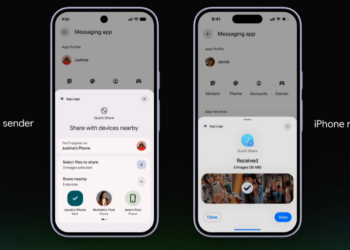
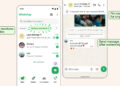
Microsoft is making it easier to access Android applications from Windows 11, with a new feature that allows users to search for apps installed on their smartphones and launch them directly from the PC’s taskbar. Instead of opening Phone Link and navigating through its Apps section, users can simply type the name of an application into Windows Search and open it from the results.
The feature was spotted by Windows Latest in Microsoft’s latest Windows 11 Insider Experimental Preview Build 26340.9843. When a user searches for an installed Android application, Windows Search displays it with a “Mobile app” label. Selecting Open launches the application on the connected smartphone and mirrors its screen on the computer through Phone Link.
This is not the return of native Android app support on Windows. The application continues running on the smartphone, with the PC displaying a mirrored version that users can interact with. Microsoft is essentially making an existing Phone Link capability easier to access by integrating it into Windows Search.
Previously, users had to open Phone Link, navigate to the Apps section and select the application they wanted to use. The new approach removes those extra steps, making the experience closer to searching for and launching a regular Windows application.
These Android phones are supported
Unfortunately, the feature is not available to every Android smartphone. Microsoft’s Phone Link app supports a wider range of devices, but its app-streaming experience is restricted to selected models and manufacturers.
The supported manufacturers include Samsung, HONOR, OPPO, ASUS, OnePlus, vivo, Xiaomi, iQOO and Realme. Microsoft’s published compatibility list includes newer devices such as the Samsung Galaxy S26 series, Galaxy Z Fold8 and Z Flip8, alongside older Galaxy S, A and Z series models.
Other supported devices and families include HONOR’s Magic4 and Magic6 series, OnePlus phones, OPPO’s Find and Reno series, ASUS ROG Phone 8 models, vivo’s X, V and T series, iQOO’s Digital and Z series, Xiaomi’s 14T series and selected Realme phones.
There are differences between devices that support basic Phone Link functions and those that can stream multiple Android applications. Microsoft specifies Android 11 or later for the multiple-app experience on compatible devices, while some older devices support a more limited Recent Apps experience.
You can check the full list of supported phones and tablets on Microsoft’s website before attempting to use the feature.
Microsoft is expanding Windows Search
The Android app shortcut is not the only change coming to Windows Search. In its October 30 announcement for Windows 11 Insider Experimental Preview Build 26340.9843, Microsoft outlined several improvements that turn Search into a more useful tool for completing tasks.
With a supported smartphone connected through Phone Link, users can search for contacts, initiate calls, send text messages and access phone controls such as Do Not Disturb. Microsoft says Android support is available, while iPhone support for these phone actions is expected early next year.
Other additions include inline sliders for adjusting volume, screen brightness and cursor size, richer file previews showing details such as modification dates and locations, and additional filters for narrowing search results. Users will also be able to get web answers for weather, stocks and general facts without opening a browser.
Microsoft has been working towards tighter Android and Windows integration for years. We previously covered the Your Phone application being renamed to Phone Link, as well as Microsoft’s collaboration with Samsung to enable Windows PCs to activate a Galaxy phone’s Wi-Fi hotspot.
We also reported on Xiaomi bringing Microsoft’s Link to Windows app to its smartphones, starting with the Xiaomi 14T series.
The new Search integration is currently being distributed gradually to Windows Insiders, meaning not everyone running the preview build will necessarily see it immediately. Microsoft has not provided a general release date for the feature, and its Insider documentation warns that experimental features can change or be removed before reaching regular Windows 11 users.