• About
  • Advertise
  • Privacy Policy
  • Contact
Android Kenya
  • Home
  • News
  • Apps
  • Gadgets
  • Reviews
  • Deals
  • How To
  • Knowledge Base
No Result
View All Result
  • Home
  • News
  • Apps
  • Gadgets
  • Reviews
  • Deals
  • How To
  • Knowledge Base
No Result
View All Result
Android Kenya
No Result
View All Result
Home News

Googlebook Signals a Major Shift for the Future of Chromebooks

Guest Writer by Guest Writer
September 28, 2026
in News
0
Googlebook Signals a Major Shift for the Future of Chromebooks
FacebookTwitterWhatsApp

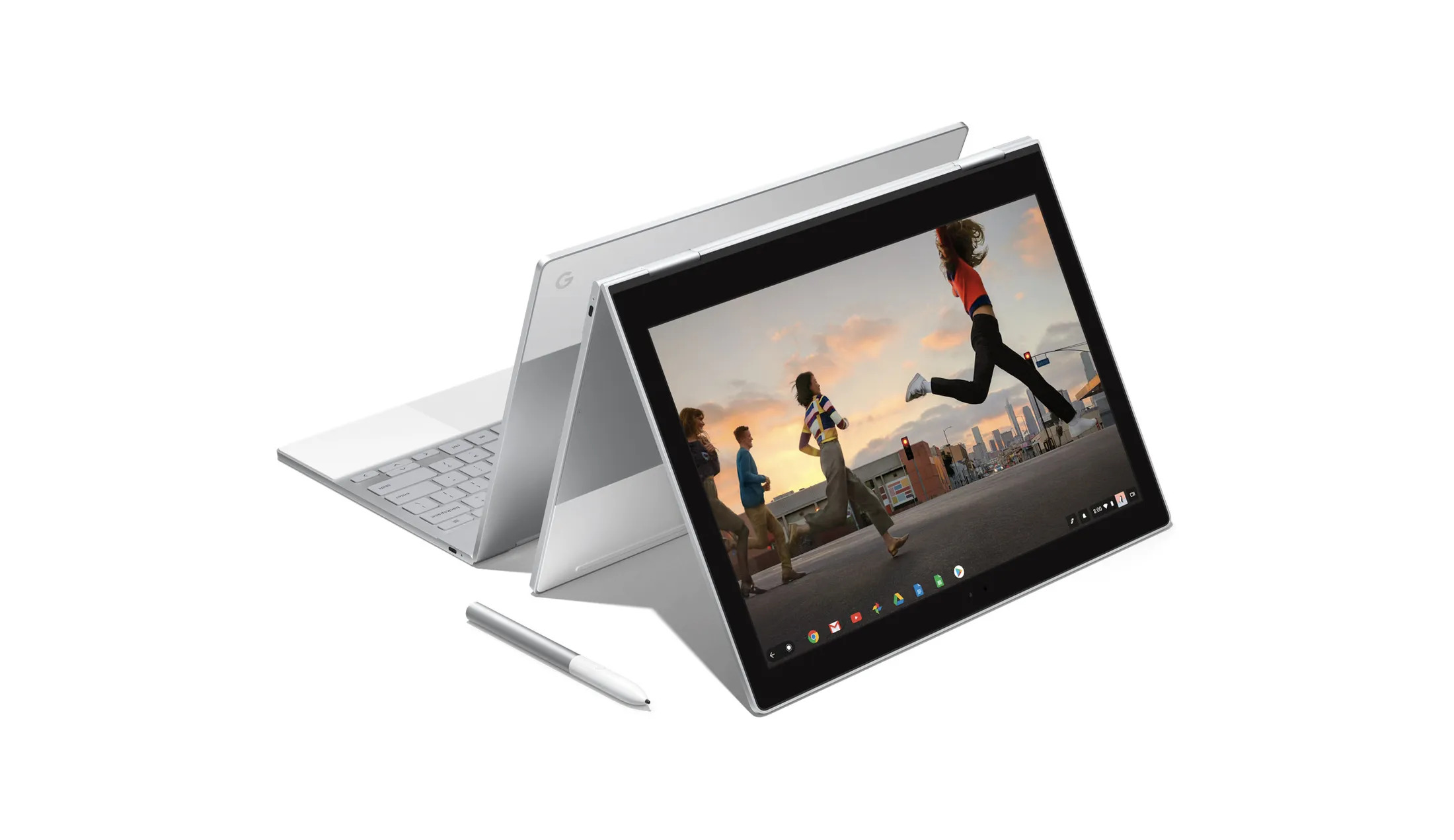
Google has spent 15 years building ChromeOS into one of the simplest operating systems you can put on a laptop. Now it is effectively rebuilding it. The company’s new Googlebook devices introduce Googlebook OS, a new operating system that combines the ChromeOS experience with the Android technology stack. Google says this will bring native Android app support, deeper connections between phones and laptops and more AI-powered features, while retaining the security, simplicity and manageability that made Chromebooks popular.

That does not mean Google is killing Chromebooks. In fact, Google is going out of its way to say the opposite. Existing ChromeOS devices will continue receiving updates throughout their supported lifetimes, and Chromebooks will remain available for schools and businesses. Google’s current Auto Update policy provides 10 years of updates for ChromeOS devices, including security and stability improvements.

The bigger change is what happens after that. Google says many newer Chromebook models will eventually be eligible to transition to Googlebook OS, although it has not yet published the complete list of compatible devices or migration details. For schools and businesses, the transition will take longer, with the first wave of Googlebook management capabilities expected from the second half of 2027.

Google Has Also Made It Easier to Check Your Chromebook’s Future

If you already own a Chromebook, Google has an Auto Update schedule where you can check exactly when your device is expected to receive its final update. On the Chromebook, go to Settings > About ChromeOS > Additional details, then look under Update schedule. Google will show the date of the device’s last scheduled update.

That date matters because once a Chromebook reaches its final software update, it stops receiving ChromeOS and browser updates, including security fixes, bug fixes and new features. So before assuming Googlebook means you need a new laptop, check your Chromebook’s update schedule first. It may still have years of official support left.

Googlebook is therefore less of a Chromebook replacement and more of a preview of what Google wants its laptops to become. ChromeOS provided a simple, browser-first computer. Googlebook takes that foundation, adds Android’s technology and app ecosystem, deeper phone integration and Gemini, and turns it into something much closer to a full Google computing platform.

Join our Telegram channel
READ:  Renders of the Samsung Galaxy A34 and A54 appear online
Previous Post

Samsung Releases One UI 9 for Galaxy S25 Edge and S25 FE

Related Posts

Snapdragon 8 Elite Extreme Gen 6 Edges Apple A20 Pro in CPU, But GPU Tells a Different Story
News

Snapdragon 8 Elite Extreme Gen 6 Edges Apple A20 Pro in CPU, But GPU Tells a Different Story

September 24, 2026
Why WhatsApp on Your Android Phone Might Have Suddenly Stopped Working
News

Why WhatsApp on Your Android Phone Might Have Suddenly Stopped Working

September 10, 2026
BREAKING: Samsung Announces Galaxy S26 Series
News

Samsung Galaxy S26 Ultra Drives More Than Half of Samsung’s S26 Sales, Trails Three iPhones

August 27, 2026

Subscribe to our newsletter

  • Trending
  • Comments
  • Latest
Snapdragon 8 Elite Extreme Gen 6 Edges Apple A20 Pro in CPU, But GPU Tells a Different Story

Snapdragon 8 Elite Extreme Gen 6 Edges Apple A20 Pro in CPU, But GPU Tells a Different Story

September 24, 2026
Tecno Spark 3 Pro-10

How to fix OTG connected pop-up error on Tecno phones

July 28, 2019
How to Check Your 2025 KCSE Results: Step-by-Step Guide and SMS Option

How to Check Your 2025 KCSE Results: Step-by-Step Guide and SMS Option

January 9, 2026
Xiaomi-Redmi-Note-13

Redmi Note 13 series bootloader unlock error claiming ‘system is being upgraded’ gets acknowledged

March 21, 2024
Googlebook Signals a Major Shift for the Future of Chromebooks

Googlebook Signals a Major Shift for the Future of Chromebooks

0
Samsung Releases One UI 9 for Galaxy S25 Edge and S25 FE

Samsung Releases One UI 9 for Galaxy S25 Edge and S25 FE

0
Snapdragon 8 Elite Extreme Gen 6 Edges Apple A20 Pro in CPU, But GPU Tells a Different Story

Snapdragon 8 Elite Extreme Gen 6 Edges Apple A20 Pro in CPU, But GPU Tells a Different Story

0
Why WhatsApp on Your Android Phone Might Have Suddenly Stopped Working

Why WhatsApp on Your Android Phone Might Have Suddenly Stopped Working

0
Googlebook Signals a Major Shift for the Future of Chromebooks

Googlebook Signals a Major Shift for the Future of Chromebooks

September 28, 2026
Samsung Releases One UI 9 for Galaxy S25 Edge and S25 FE

Samsung Releases One UI 9 for Galaxy S25 Edge and S25 FE

September 28, 2026
Snapdragon 8 Elite Extreme Gen 6 Edges Apple A20 Pro in CPU, But GPU Tells a Different Story

Snapdragon 8 Elite Extreme Gen 6 Edges Apple A20 Pro in CPU, But GPU Tells a Different Story

September 24, 2026
Why WhatsApp on Your Android Phone Might Have Suddenly Stopped Working

Why WhatsApp on Your Android Phone Might Have Suddenly Stopped Working

September 10, 2026
  • About
  • Advertise
  • Privacy Policy
  • Contact

© 2026 Android Kenya

No Result
View All Result

© 2026 Android Kenya