• About
  • Advertise
  • Privacy Policy
  • Contact
Android Kenya
  • Home
  • News
  • Apps
  • Gadgets
  • Reviews
  • Deals
  • How To
  • Knowledge Base
No Result
View All Result
  • Home
  • News
  • Apps
  • Gadgets
  • Reviews
  • Deals
  • How To
  • Knowledge Base
No Result
View All Result
Android Kenya
No Result
View All Result
Home News

Android O brings with it a better use case for AutoFill and here’s how LastPass will use it

Emmanuel Chenze by Emmanuel Chenze
April 9, 2017
in News
0
Android O brings with it a better use case for AutoFill and here’s how LastPass will use it
FacebookTwitterWhatsApp

Android O, the next version of Android after Nougat, is coming later in the year. It will bring with a host of refinements to Nougat in the quest to make Android better and more usable by the over 1 billion people that rely on it daily.

One of those features, an enhancement of AutoFill through APIs available to developers. AutoFill, for those not in the know, is the feature that allows a password manager or any other app with the necessary permission access, for that matter, to, well, “auto-fill” information in a pop-up app window or browser tab. Simple as that.

When the Android O Developer Preview was announced last month, I gushed, “Users of apps that make use of autofill like yours truly and his LastPass (a password manager) will be glad to know that Android O will be bringing native support for autofill for the first time ever on the Android platform. Thank God!”

True to form, one of the leading developers of Android password managers, AgileBits, was up with a blog post detailing how its app, 1Password, would be updated to take advantage of the feature as soon as Android O drops (as if we expected anything less).

Yesterday was the turn of yet another developer of a popular password manager to let the world know what their plans were in the wake of Google’s decision to provide access to AutoFill APIs.

“Today, LastPass relies on Android’s accessibility features to identify password fields we can help you fill. The accessibility approach has two drawbacks which we believe Autofill will address: (1) it’s more processor-intensive, counteracting the time we want to save our users, and (2) it requires that users grant us extra permissions. The Autofill Framework is purpose-built to allow apps like LastPass to fill eligible forms on a user’s behalf, and nothing else,” the LastPass team writes in a blog post.

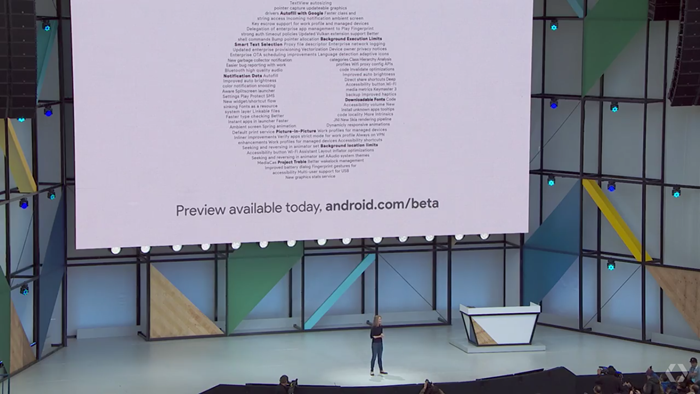
READ:  Google details Android O features at I/O 2017, launches beta

Now, LastPass is not the most trustworthy password manager (none is, anyway) but Google is pretty much in charge of things here and ugly things like those that affected desktop browsers are not what we expect to see when the feature is fully implemented.

Knowing so well how frustrating it is to have to keep the LastPass app on my Android home screen (when I could use that space for a more deserving app) and having to keep going back to it to copy passwords and paste them in other open apps (a risky measure by itself since they get to be logged on the clipboard) since some of the phones I keep using limit LastPass’ Accessibility, I can’t wait to see what LastPass and others can come up with and hope that, for once, things will be seamless.

LastPass is available on the PlayStore.

Join our Telegram channel
Previous Post

Infinix S2 Pro specifications

Next Post

Infinix S2 Pro: In the Box [Plus image gallery]

Related Posts

Android O brings with it a better use case for AutoFill and here’s how LastPass will use it
News

Popular password manager LastPass breach no cause for customer worry, says CEO

September 1, 2022
O is for Oreo: Android 8.0 finally gets a name but…
News

O is for Oreo: Android 8.0 finally gets a name but…

August 22, 2017
Google details Android O features at I/O 2017, launches beta
News

Google details Android O features at I/O 2017, launches beta

May 18, 2017
Next Post
Infinix S2 Pro specifications

Infinix S2 Pro: In the Box [Plus image gallery]

Subscribe to our newsletter

  • Trending
  • Comments
  • Latest
Tecno Spark 3 Pro-10

How to fix OTG connected pop-up error on Tecno phones

July 28, 2019
Samsung Developing One UI 9.0 For Midrange Galaxy Smartphones

Samsung Developing One UI 9.0 For Midrange Galaxy Smartphones

June 9, 2026
Redmi-Note-13-4G

Redmi Note 13 series guaranteed 4 years of Android software updates until 2028

January 30, 2024
WhatsApp multi-device support official release edging closer

WhatsApp users can now use the app on more than one phone

April 25, 2023
Samsung Developing One UI 9.0 For Midrange Galaxy Smartphones

Samsung Developing One UI 9.0 For Midrange Galaxy Smartphones

0
Smartphone Shipments in Kenya Fall Significantly in Q1 2026 – Report

Gemini Go Rollout to Android Go Devices Signals Google Assistant’s Final Chapter

0
Smartphone Shipments in Kenya Fall Significantly in Q1 2026 – Report

Smartphone Shipments in Kenya Fall Significantly in Q1 2026 – Report

0
Full List of Android Phones Compatible With AirDrop

Full List of Android Phones Compatible With AirDrop

0
Samsung Developing One UI 9.0 For Midrange Galaxy Smartphones

Samsung Developing One UI 9.0 For Midrange Galaxy Smartphones

June 9, 2026
Smartphone Shipments in Kenya Fall Significantly in Q1 2026 – Report

Gemini Go Rollout to Android Go Devices Signals Google Assistant’s Final Chapter

June 4, 2026
Smartphone Shipments in Kenya Fall Significantly in Q1 2026 – Report

Smartphone Shipments in Kenya Fall Significantly in Q1 2026 – Report

May 27, 2026
Full List of Android Phones Compatible With AirDrop

Full List of Android Phones Compatible With AirDrop

May 15, 2026
  • About
  • Advertise
  • Privacy Policy
  • Contact

© 2025 Android Kenya

No Result
View All Result

© 2025 Android Kenya