• About
  • Advertise
  • Privacy Policy
  • Contact
Android Kenya
  • Home
  • News
  • Apps
  • Gadgets
  • Reviews
  • Deals
  • How To
  • Knowledge Base
No Result
View All Result
  • Home
  • News
  • Apps
  • Gadgets
  • Reviews
  • Deals
  • How To
  • Knowledge Base
No Result
View All Result
Android Kenya
No Result
View All Result
Home News

Here’s the stable update to Android Pie for Xiaomi Redmi Note 5 AI

Hillary Keverenge by Hillary Keverenge
June 2, 2019
in News
0
Redmi Note 5 AI Pie update
FacebookTwitterWhatsApp

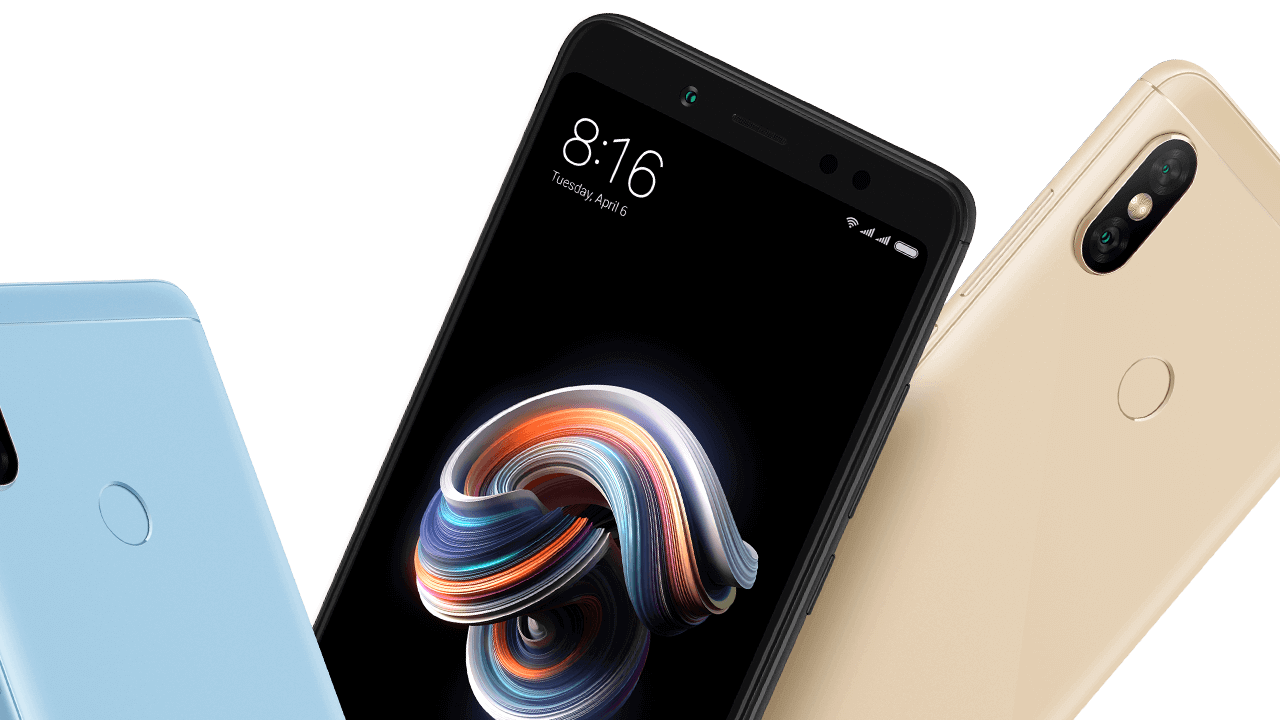
Xiaomi has a new update for yet another budget phone in the Redmi Note 5 AI that installs the stable version of Android 9 Pie. This is the first major OS upgrade for a device that came into the local market a year ago running Oreo out of the box.

The update, as expected, is souped-up with MIUI 10.3.1, the company’s custom skin that was developed with Pie in mind. Yes, some of the features of Android Pie like the use of gestures for navigation have been in MIUI 10 since last year, so it shouldn’t be hard getting used to Pie.

Also part of the Pie upgrade is a system-wide dark mode, a new charging animation and the latest Android security patch for May 2019, among other changes and improvements under the hood.

READ:  These Xiaomi products will be available in the Mi Home store

The OTA just started rolling out a while ago in India, where the same device goes by the name Redmi Note 5 Pro. As usual with OTA rollouts, you may have to wait for weeks before the OS arrives on your device.

Android Pie for Redmi Note 5 AI

If you can’t wait, we have the download link to the MIUI 10.3.1 ROM that should install Pie on your Note 5 AI device right away. Installing this recovery ROM is such a breeze and if you don’t know how to, we’ll show you in a simple guide below.

Note: Before you take this route, be sure to backup all your important stuff since the upgrade to Pie may erase all data and apps currently installed on your Redmi Note 5 AI.

  1. Download the Pie-based recovery ROM here using your phone. It weighs 1.6GB, so be sure to get a stable internet connection. If you downloaded it using a computer, transfer the ROM to your phone using a USB cable
  2. Now, go to your phone’s Settings > About phone > System update
  3. Tap on the 3-dot menu in the top right corner and then Choose update package
  4. Find the location of the ROM you downloaded in step 1 above and select it
  5. The system will verify the update and install it automatically

The process will likely ask you to confirm that you actually want to install the new ROM on your phone. Well, don’t you?

If you need any help, get to us via the comments section.

READ:  These are the smartphones Xiaomi is upgrading to Android 9 Pie
Join our Telegram channel
Previous Post

Microsoft Office apps dropping support for devices running older versions of Android

Next Post

Nokia 3 finally picks up Android 9 Pie update

Related Posts

Android 17
News

Full List Of Smartphones Expected To Receive Android 17

June 24, 2026
Redmi-Note-13-Pro
News

Xiaomi Kenya hiring social media manager and graphics designer to address lackluster online customer support

February 24, 2025
Redmi-Pad-SE-8.7-tablet
Gadgets

Xiaomi unveils Redmi Pad SE 4G tablet, price starts at Kshs 14,999

February 7, 2025
Next Post
HMD Global to officially launch latest range of Nokia phones in Kenya this Thursday

Nokia 3 finally picks up Android 9 Pie update

Subscribe to our newsletter

  • Trending
  • Comments
  • Latest
Android Users to Lose More Google Storage Under New Backup Policy

Android Users to Lose More Google Storage Under New Backup Policy

July 16, 2026
Xiaomi-Redmi-Note-13

Redmi Note 13 series bootloader unlock error claiming ‘system is being upgraded’ gets acknowledged

March 21, 2024
Pre-orders open in Kenya for smartphone with biggest battery ever from vivo: vivo Y500

Pre-orders open in Kenya for smartphone with biggest battery ever from vivo: vivo Y500

July 13, 2026
Tecno Spark 3 Pro-10

How to fix OTG connected pop-up error on Tecno phones

July 28, 2019
Google Wants Your Face to Become Your New Password

Google Wants Your Face to Become Your New Password

0
Samsung Unveils Galaxy Z Fold8 Ultra, Fold8 and Flip8 as Apple Prepares to Enter Foldable Market

Samsung Unveils Galaxy Z Fold8 Ultra, Fold8 and Flip8 as Apple Prepares to Enter Foldable Market

0
Android Users to Lose More Google Storage Under New Backup Policy

Android Users to Lose More Google Storage Under New Backup Policy

0
Samsung Drops Samsung Pass Updates for Older Android Devices

Samsung Drops Samsung Pass Updates for Older Android Devices

0
Google Wants Your Face to Become Your New Password

Google Wants Your Face to Become Your New Password

July 24, 2026
Samsung Unveils Galaxy Z Fold8 Ultra, Fold8 and Flip8 as Apple Prepares to Enter Foldable Market

Samsung Unveils Galaxy Z Fold8 Ultra, Fold8 and Flip8 as Apple Prepares to Enter Foldable Market

July 22, 2026
Android Users to Lose More Google Storage Under New Backup Policy

Android Users to Lose More Google Storage Under New Backup Policy

July 16, 2026
WhatsApp Working on Premium Subscription Plan Called WhatsApp Plus

WhatsApp Developing First-Party Backup That Fixes Its Biggest Flaw

July 14, 2026
  • About
  • Advertise
  • Privacy Policy
  • Contact

© 2025 Android Kenya

No Result
View All Result

© 2025 Android Kenya

Loading Comments...