• About
  • Advertise
  • Privacy Policy
  • Contact
Android Kenya
  • Home
  • News
  • Apps
  • Gadgets
  • Reviews
  • Deals
  • How To
  • Knowledge Base
No Result
View All Result
  • Home
  • News
  • Apps
  • Gadgets
  • Reviews
  • Deals
  • How To
  • Knowledge Base
No Result
View All Result
Android Kenya
No Result
View All Result
Home Apps

You can now sign in to WhatsApp & Uber apps on Android using fingerprint, face scan, or screen lock

Google and other big players have turned to passkeys to replace passwords & bolster account security

Hillary Keverenge by Hillary Keverenge
October 12, 2023
in Apps, News
0
WhatsApp-sign-in
FacebookTwitterWhatsApp

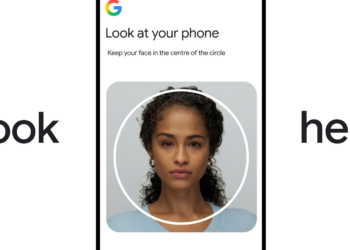
Google, Apple, and many other companies have been migrating from the use of passwords in favor of what is called passkeys. The latest to join the party are WhatsApp and Uber apps, two popular apps among Kenyan smartphone owners. With passkeys, you don’t need a password to sign in to your account when switching between devices or setting up a new phone. Instead, all it takes is a fingerprint, facial recognition, or screen lock pattern/PIN. Quick and easy.

Last month, WhatsApp rolled out the ability to sign in using a fingerprint or facial recognition to Android users. But this was limited to beta testers. But as I pen this, Google has just confirmed that support for passkeys is now rolling out widely to WhatsApp users on Android. This is now available in the stable version.

Furthermore, the Uber app has also gained support for passkeys, meaning you can easily log in with your face or screen PIN/pattern instead of having to key in your password. On X, Google also revealed that accessing both WhatsApp and Uber through the Chrome browser can also be done using a fingerprint scanner, face unlock or screen lock.

WhatsApp-sign-in-with-fingerprint

End users only have to download and install the latest versions of their WhatsApp and Uber apps to start using passkeys. There’s no settings to be tweaked. Once WhatsApp is up to date, the passkeys option will appear under WhatsApp Settings > Account.

WhatsApp says the passkey will be stored in the Google Password Manager, but my understanding is that you can pick from any supported password manager such as 1Password and NordPass. With the passkey saved, if you need to log into your WhatsApp account, you will only have to touch your phone’s fingerprint scanner or look into the front camera for facial recognition. No more OTPs in order to to log into your WhatsApp account.

READ:  24Bit episode 7 - A discussion on cab hailing apps

Setting up a passkey on the Uber app is also a breeze. When signed in, head to Account > Manage Uber account > Security > Passkeys and follow the prompts to create a passkey. If signed out, first ensure password sharing is enabled on your phone and then head to the sign up or login page. From here, select the passkey icon (key next to a person), go ahead and login or sign up, and then follow the prompts to create a passkey.

Uber-passkeys

Join our Telegram channel
Previous Post

Microsoft walks back on plan to count OneDrive storage for users twice

Next Post

Samsung’s Galaxy S23 FE starts at Kshs 100,000 in Kenya

Related Posts

Safaricom
News

Uber partners with Safaricom to provide free data for Kenyan riders and drivers

January 16, 2025
Google gets going with the promise of a “passwordless future” by bringing Passkeys to all Google accounts
News

Google gets going with the promise of a “passwordless future” by bringing Passkeys to all Google accounts

May 4, 2023
24Bit episode 7 – A discussion on cab hailing apps
Podcast

24Bit episode 7 – A discussion on cab hailing apps

January 24, 2024
Next Post
Samsung’s Galaxy S23 FE starts at Kshs 100,000 in Kenya

Samsung's Galaxy S23 FE starts at Kshs 100,000 in Kenya

Subscribe to our newsletter

  • Trending
  • Comments
  • Latest
WhatsApp Working on Premium Subscription Plan Called WhatsApp Plus

WhatsApp Working on Repositioning Channels Within The App

May 1, 2026
Samsung Remains the Only Android OEM in Q3 2025’s Top-Selling Phones

Samsung Pushes Update to Midrange and Budget Galaxies

April 28, 2026
Tecno Spark 3 Pro-10

How to fix OTG connected pop-up error on Tecno phones

July 28, 2019
Apple Leaves Android Brands Playing Catch-Up in New Report

Apple Leaves Android Brands Playing Catch-Up in New Report

May 5, 2026
Apple Leaves Android Brands Playing Catch-Up in New Report

Apple Leaves Android Brands Playing Catch-Up in New Report

0
WhatsApp Working on Premium Subscription Plan Called WhatsApp Plus

WhatsApp Working on Repositioning Channels Within The App

0
Google testing Ask YouTube

Google Testing a New Way of Finding Videos on YouTube

0
Samsung Remains the Only Android OEM in Q3 2025’s Top-Selling Phones

Samsung Pushes Update to Midrange and Budget Galaxies

0
Apple Leaves Android Brands Playing Catch-Up in New Report

Apple Leaves Android Brands Playing Catch-Up in New Report

May 5, 2026
WhatsApp Working on Premium Subscription Plan Called WhatsApp Plus

WhatsApp Working on Repositioning Channels Within The App

May 1, 2026
Google testing Ask YouTube

Google Testing a New Way of Finding Videos on YouTube

April 28, 2026
Samsung Remains the Only Android OEM in Q3 2025’s Top-Selling Phones

Samsung Pushes Update to Midrange and Budget Galaxies

April 28, 2026
  • About
  • Advertise
  • Privacy Policy
  • Contact

© 2025 Android Kenya

No Result
View All Result

© 2025 Android Kenya


Loading Comments...