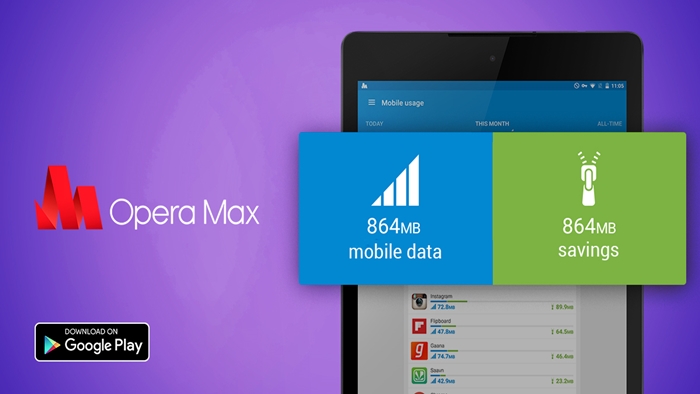
When it comes to taking control of just about everything you do online, fewer apps get closer to doing what Opera Max does.
Opera Max, an app found on all major mobile platforms and a darling of many a budget Android device user (to the point of being bundled in select Samsung budget phones), can do it all. On the Play Store, its name reveals that it is a data manager, fair enough, that’s exactly what we’re interested in, isn’t it?
But Opera Max is not just your traditional run-of-the-mill data manager app. It is much more than that, as I have found out in my on and off usage of the app over the last 3 years. Yes, it’s been around for that long. Reputations, after all, are not built overnight.
It’s a data manager, a VPN, a browser and a privacy manager all rolled into one. Put simply, it’s the Swiss army knife of data managers.
Late last year, the app was updated to version 3.0 and with that update came a much-desired feature that many users of the app that come for its other hero features, will find outstanding: Privacy Mode.
Privacy Mode simply does what the Privacy Badger plugin on desktop browsers and mobile (Firefox browser only) does: it stops apps from communicating sensitive details to external parties. Where it cannot stop them, it reports to you the culprits in what Opera refers to as a “privacy timeline”. While this may be subtle, what many won’t realize is that by having Privacy Mode turned on, quite some data is saved in the process as unnecessary pings to remote servers are stopped in their tracks.

Opera Max having a privacy feature is not quite surprising, though. One of the standout features of the app besides its legendary data saving, which it gets from its parent company Opera, the makers of popular data-saving browser Opera mini, is, well, privacy. Since the start, Opera Max has incorporated another feature that users would either pay to access on other apps and services or have to install a separate app to do so (even Opera has one): a virtual private network (VPN). A VPN is the ultimate privacy guard (well, there’s Tor but…).
A few weeks ago, Opera Max received yet another update with yet another useful feature: a data-saving tool meant solely for the Facebook user.
Facebook can be a data hog, we all know that and that’s why Opera Max now includes a data-saving browser version of Facebook. You only need to enable it from the Opera Max app and you are good to go. What’s more, it will alert you from time to time on how much data you are saving by using it.

The Data Manager
Opera Max as a data manager is pretty simple to set up and use. All the features described above contribute to its data management credentials.
First off, click the Hamburger menu (the 3 short horizontal lines on the left) and click the on/off button to turn on Opera Max for the first time. By just doing that, you are on your way to restricting data usage by the apps installed on your mobile device.
From the app’s home screen or even the slide out menu, other handy features like saving Wi-Fi data can be enabled. Saving mobile data gets turned on by default once Max is on.

The ability to manage individual apps and block or allow them to access data is the best feature, overall. Previously, one would need root access to be able to do this.
The only problem with Opera Max? Like most other free apps, there are ads. Lots of them. They can be very annoying. The most annoying is when full-size banners take over your device’s lock screen as it charges since Opera max activates its own charging screen, something users of some apps like CM Security, Xender and the like may be used to. It doesn’t matter if you upgrade to VIP. That just gets you a couple of savings in terms of megabytes of data consumed, it doesn’t take the ads away from the app.
Since Opera Max makes use of Opera’s VPN, that means that data is compressed when being sent and passed through Opera’s own servers when being received in order to be compressed. That can result in the overall sluggishness of some apps, like YouTube, as I came to find out.
Opera Max is available on the Google Play Store.